make marketing affordable now!


|
|---|
 Email Setup:
Email: |
me@my-domain.co.za |
| Incoming (POP) server : | mail.my-domain.co.za |
| Outgoing (SMTP) server : | smtp.my-domain.co.za |
| Account / User Name : | me@my-domain.co.za |
| SMTP Authentication : | Enabled (same Username as POP) |
| Note: If SMTP Authentication is not catered for by your email program, you must rather use your ISP's SMTP server. | |
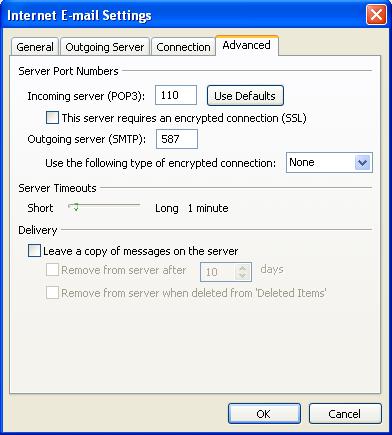
| SMTP Port : | 587 |
Add a new email account
1. Launch Outlook 2007
2. Select Tools from the top menu bar, then Accounts Settings
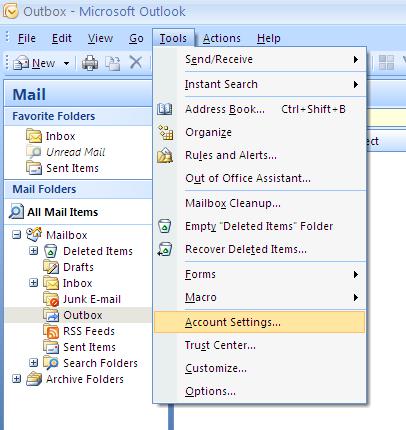
Create new account
3. On the Account Settings pop-up, click New on the E-mail tab
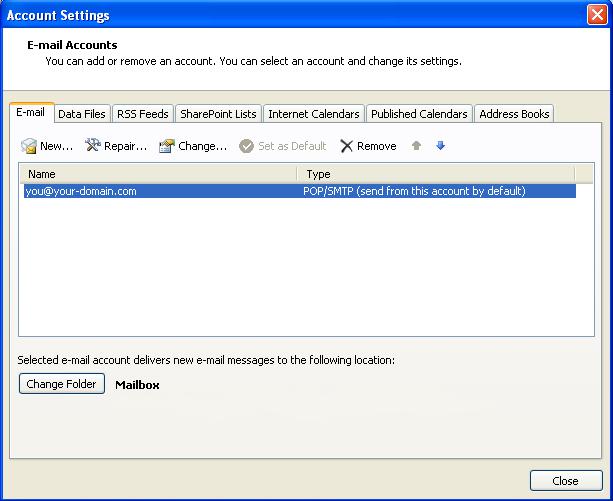
Choose e-mail service
4. Select Microsoft Exchange, POP3, IMAP or HTTP and click Next
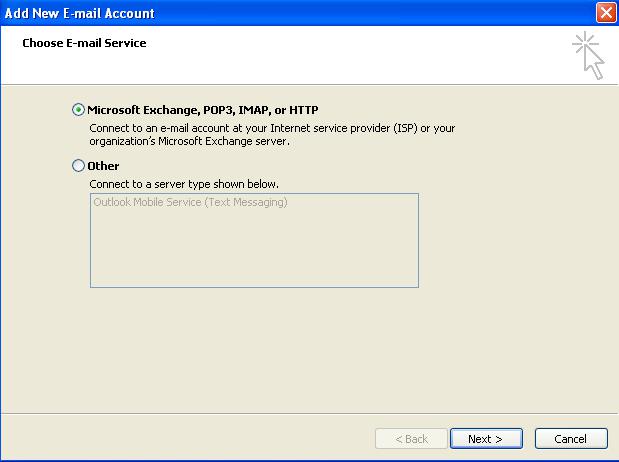
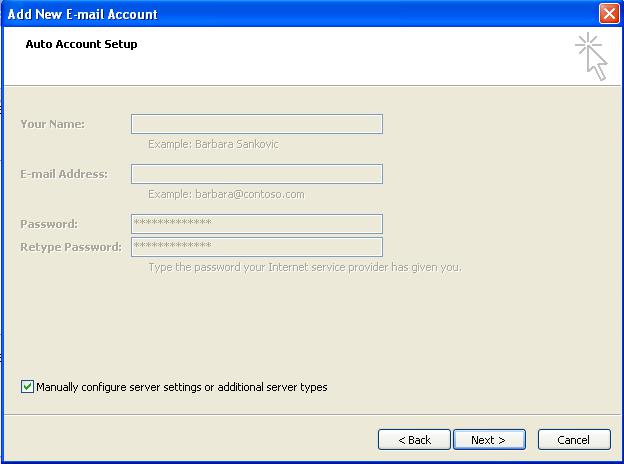
Account Setup
5. Tick the Manually configure server settings or additional server types checkbox and click Next
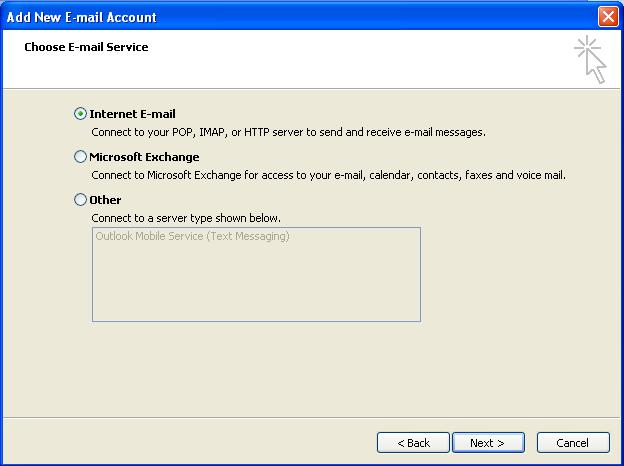
Select Internet Email
6. Select Internet E-mail and then click Next
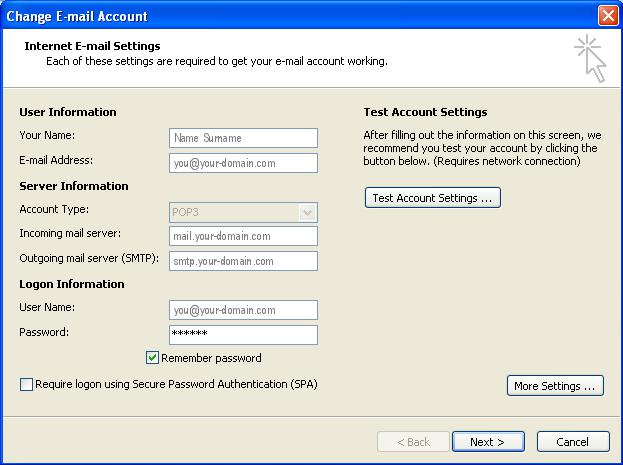
Email settings
7. Enter all the relevant details (Select ‘POP3’ as the server type) and then click More Settings
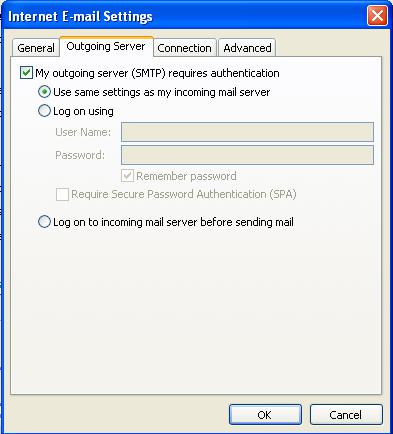
Outgoing Server Settings
8. Click on the Outgoing Server tab and ensure that the My outgoing server (SMTP) requires authentication checkbox is selected, as well as Use same settings as my incoming mail server
Advanced Settings
9. Select the ‘Advanced’ tab
10. Set the Incoming Server (POP) port to the default setting, 110
11. Set the Outgoing Server (SMTP) port to 587
12. Click OK to save these settings
13. Click Next and Finish
14. Your Outlook mail program should now be set up to send and receive mail