
make marketing affordable now!


 Checkbox Checkbox
A checkbox is a form element that lets you select an item and send your selection to the server when you are submitting the form. Multiple checkboxes may be combined in a logical group, although their selection is independent of one another, which means that more than one item of the group can be selected at a time. To insert a checkbox into a document in CKEditor, place the cursor inside the form element and press the Checkbox toolbar button. The Checkbox Properties dialog window that will open lets you set the name and value of a checkbox as well as decide whether it should be selected by default. 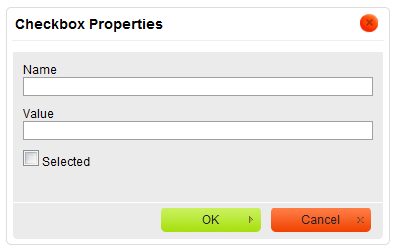
Checkbox Properties dialog window in CKEditor
Once you configure the checkbox and click the OK button, the checkbox will be visible in CKEditor editing area and you will be able to add some text that describes the checkbox option. 
A checkbox added to a form in CKEditor
|
|---|