|
In this example, Ethical Pets are sending out a campaign about a special offer on dog treats. They are targeting the campaign by only sending it to customers who have previously bought products for a dog.
There are several reasons for doing this:
- It enables more campaigns to be sent overall, which increases the impact of email marketing
- Most people will receive fewer campaigns, so they are not inundated
- Campaigns will be more relevant to readers
- Campaigns are quicker and easier to write, because they only need to be interesting to the target audience and not to everyone
- It is easier to measure the impact of the campaign
In this campaign only 35% of the total number of subscribers were emailed. Without segmentation either a large number of people would have received a campaign with little relevance to them or Ethical Pets would have needed to spend time tying to make the campaign have a broader appeal.
The overall consequences of segmentation should be:
- Happier customers
- Fewer unsubscribes
- More motivated marketeers
- Improved sales/responses to calls to action
- Improved customer loyalty/retention over time
The method of segmentation depends on,
- The quality of your data
- Where and how your data is stored
- What tools you have to segment it
In this example the segmentation was achieved using a Prestashop plugin, which allows the exporting of customer details based on the category of product bought.
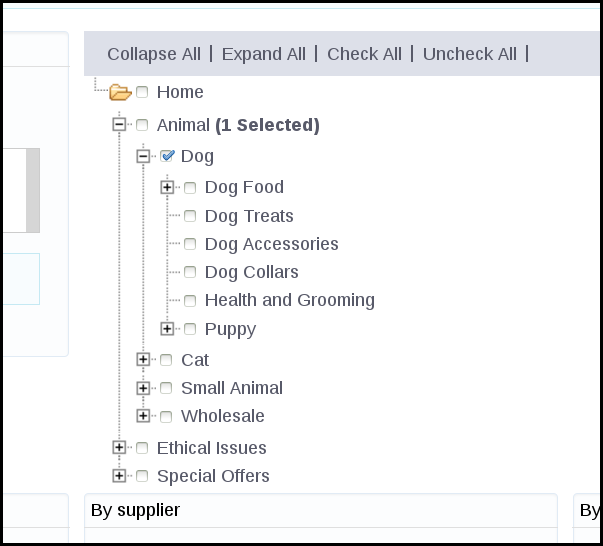
Unfortunately the Prestashop core does not provide very detailed data exports, and so a paid plugin was needed.
In other situations it may be possible to segment a list using:
- spreadsheet software
- database software
- the Blink Mailer segment plugin, to split the list using attributes
A suggested methodology for adding a segmented list to Blink Mailer is:
- Synchronise your data - upload any new subscribers to Blink Mailer
- Create a new list
- Copy and paste the segmented emails into the new list
- Blink Mailer will pull in the rest of the data/attributes for you from the subscriber profiles
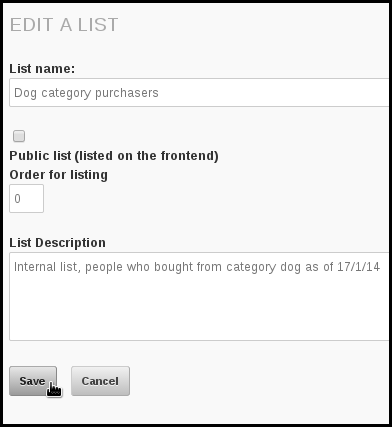
Having synchronised the data by uploading the latest data using a csv import, Ethical Pets went on to create a new list.
In this case a new list Dog category purchasers was created (note: a private list, not public)
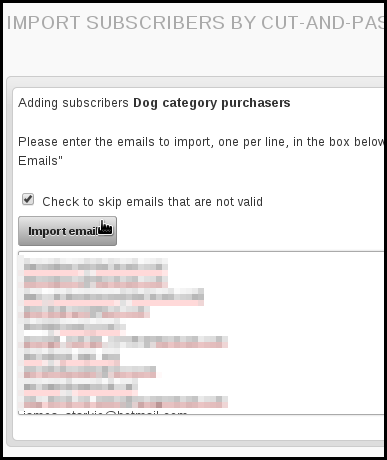
Then the emails from the prestashop segmentation export were pasted in:
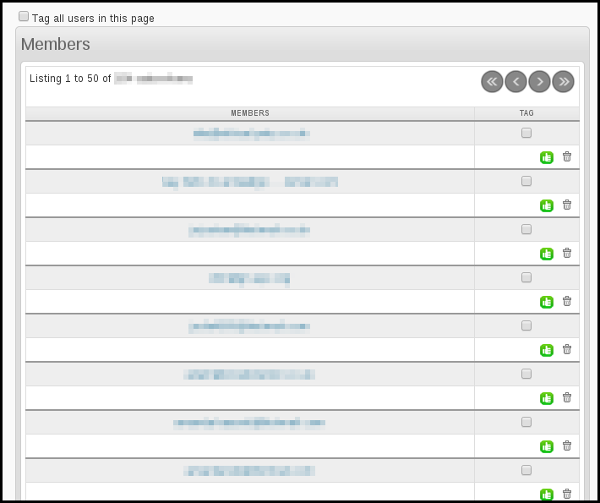
The segmented list of subscribers are now all members of the list.
The process for sending to segmented lists is the same as sending to large, unsegmented lists. You simply select the list on the Lists tab of the campaign workflow. In this example we have put the segmented list in a category too.
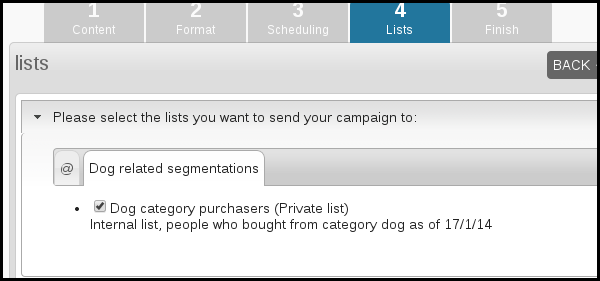
If you are sending a lot of mails and there is a chance that subscribers are in multiple segments and receiving lots of campaigns, you could consider using the exclude list functionality.
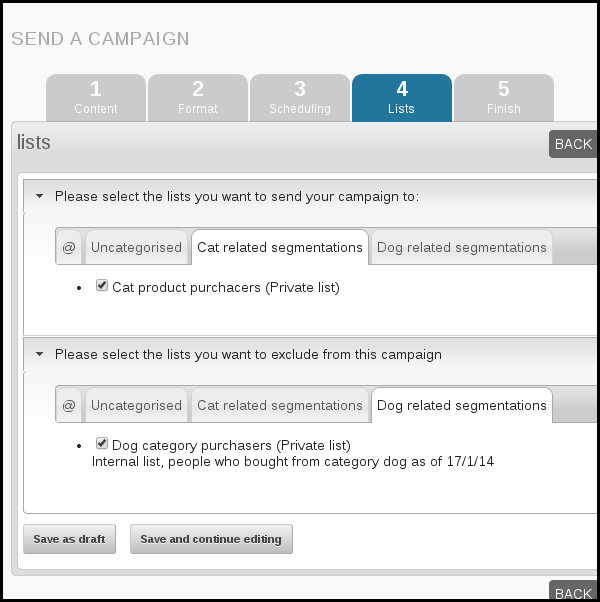
For example, if Ethical Pets wants to send a campaign to a list of cat product purchasers just a few days after they sent the email to dog product purchasers, they could exclude anyone on the dog list from receiving the cat related campaign.
While this involves prioritising which campaign is most important, the dog or the cat one, it means that the people who buy both dog and cat products are not receiving too many campaigns in total.
Activate the list exclude feature
Please contact Blink and ask us to activate this service within your config.php file.
Using the list exclude feature
In this example, Ethical Pets have sent an email to the cat product purchasers segment but excluded the dog purchasers segment. During sending Blink Mailer checks if the subscriber on the cat list is also on the dog list, and if they are, the email is not sent to them.
Additional ways to segment a list
Here are a few ideas for ways you could segment your lists:
- Subscriber location
- Subscriber interests
- Subscriber demographic (gender, age, shoe size etc)
- Subscriber actions (purchase, abandoned cart, signed petition, recent comment etc)
- Subscriber status (new to list, long-time member)
- Subscriber preference: ask your subscribers how often or when they would like to receive emails from you using an attribute on your subscribe page.
There are many benefits to list segmentation:
- You can a/b test aspects of your email, for example the tone/style/grammar of the subject line
- You can automate transactional messages, for example, messages offering help to customers who abandoned a cart. You can use a recurring campaign for this.
- You can tailor very specific emails, for example about events, to those who live in the location of those events.
|


 Targeting the campaigns: